
Astrolabe - "Space Clock"
 di kennyxmn

File stampabili (12)
-
 stl
stl000.A_DoublePointerPeeper.stl
53 Ko · 382 download
-
stl
000.Z_DoublePointerPeeper_Aliens.stl
68 Ko · 378 download
-
stl
001.A_Base_Inset_Nums.stl
360 Ko · 376 download
-
stl
001.B_Base_RaisedLetters.stl
413 Ko · 382 download
-
stl
002.A_SkyPlate.stl
51 Ko · 383 download
-
stl
003.A_Rete_ZodiacRaisedLetters.stl
961 Ko · 393 download
-
stl
003.B_Rete_Flat.stl
195 Ko · 387 download
-
 stl
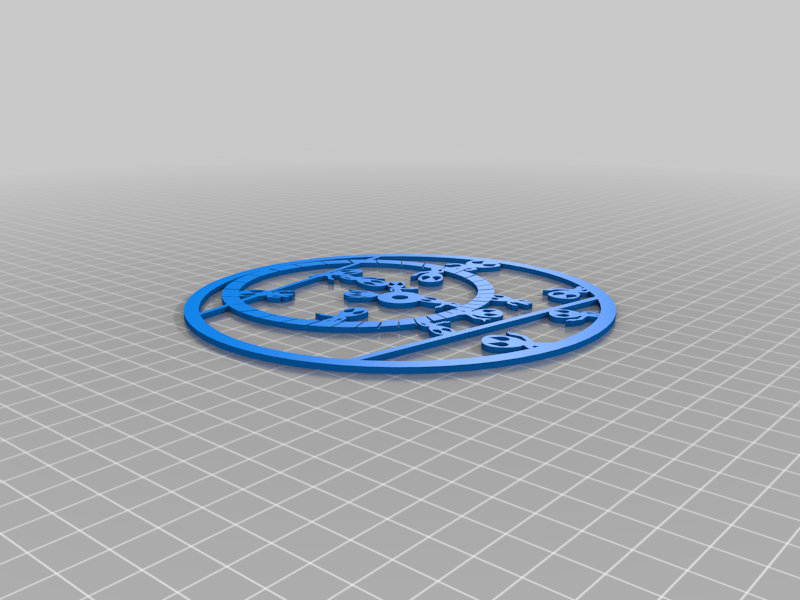
stl003.Z_Rete_Aliens.stl
591 Ko · 357 download
-
stl
004.A_DoublePointy.stl
26 Ko · 381 download
-
stl
005_B_Post_WithFlat.stl
70 Ko · 378 download
-
stl
005.A_Post_WithGrip.stl
80 Ko · 381 download
-
stl
006.A_ChainUClip.stl
193 Ko · 379 download
Descrizione
My spin on an Astrolabe. There are books on 100's of uses, but I see it as a "space clock". I don't know how to use one very well, but just had a friend who was very interested in Astrolabes and proposed the challenge. I just thought it looked cool and is functional. Because of the tiny details, I went to cardstock paper for the Front and Back.
Pictured are 2 versions:
The master in Black and Orange
A novelty glow in the dark version with Aliens and Spaceships
General Comments:
Need good adhesion, I print on clean glass.
I used Cura pauses and swapped filament for the different colors on the Base and Rete. Select some layers to pause on in Cura and practice that with a small wedge of the Base or ReteWithZodiac make sure you like the look before a big print.
Post is tight, clips are tight, sand a bit of you have larger tolerances
Some parts are paper (100lb Card Stock) and printed/glued as the detail was too small for 3D printing. Laser printing seperate pieces will work if you want to figure that out, just heighten the post if needed for those pieces.
STL Files (Only need one from each grouping, just posting some extra options) STLs listed in order to assemble them.
000.A_DoublePointerPeeper.stl ["Alidade" Real one to use]
000.Z_DoublePointerPeeper_Aliens ["Alidade" Novelty version with spaceships]
001.A_Base_Inset_Nums ["Mater" Paint inset letters or color swap it like the examples]
001.B_Base_RaisedLetters ["Mater" just another option, can paint/color swap on this one too]
[CardStock BACK gets glued to the bottom of this piece]
002.A_SkyPlate ["plate" -- Glue the sky chart on this for line-up and durability]
[Cardstock FRONT gets glued on the top of this piece]
003.A_Rete_ZodiacRaisedLetters ["Rete" My Preference, I color swapped the top letters]
003.B_Rete_Flat ["Rete" Printing/gluing something may get more details than ZodiacRaisedLetters version above]
003.2_ReteWithAliens ["Rete" Novelty version, it is a "space clock"... why not, tough print]
004.A_DoublePointy ["Rule" just a basic one]
005.A_Post_WithGrip [holds it all together]
005_B_Post_WithFlat [just another option]
006.A_ChainUClip [Basic chain clip for the top, if you have a better design, remix this!]
I also printed an optional chain by SAL on thingiverse: https://www.thingiverse.com/thing:28405 good design there!
PRINT THIS FIRST ON PAPER (I used 100Lb cardboard stock) BEFORE trying the prints, make sure you have the ability to get the sky maps for your area printed before using a bunch of filament.
To get the printouts of the BACK and FRONT
Download the Astrolabe Generator
http://www.astrolabeproject.com/the-astrolabe-generator/
Need to install java if the .JAR doesn't open
It was a little weird for me... here's how I got the files:
launched astorlabe 3.3
Dropped in a name and location
I had to switch predefined astrolabes to get my Lat to show on the front then I knew it took the changes
Choose what you want for formats
File-- Save to Zip (Print to PDF did not work on my windows 10)
Open up the zip
Right mouse click the EPS and select Convert to PDF
Print the PDF I used 100lb paper for a bit of durability (cardstock paper for thickness)
Cut and glue to pieces 001 and 002 from above.
Disclaimer: With Printing variables, end-user skills, and 2000 year old technology, this is not an exacting scientific instrument. Please don't use it to determine when to leave for work.