
Framework Laptop Side Stand
 di mhibler


File stampabili (2)
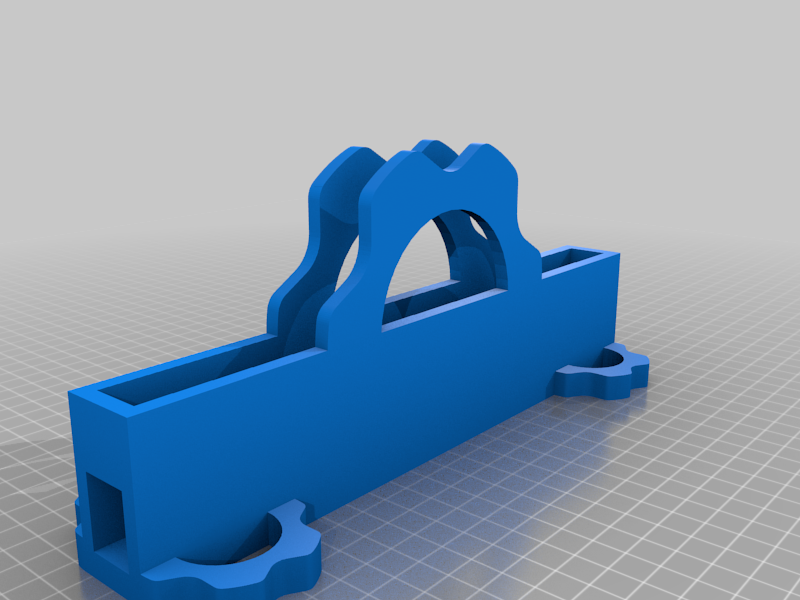
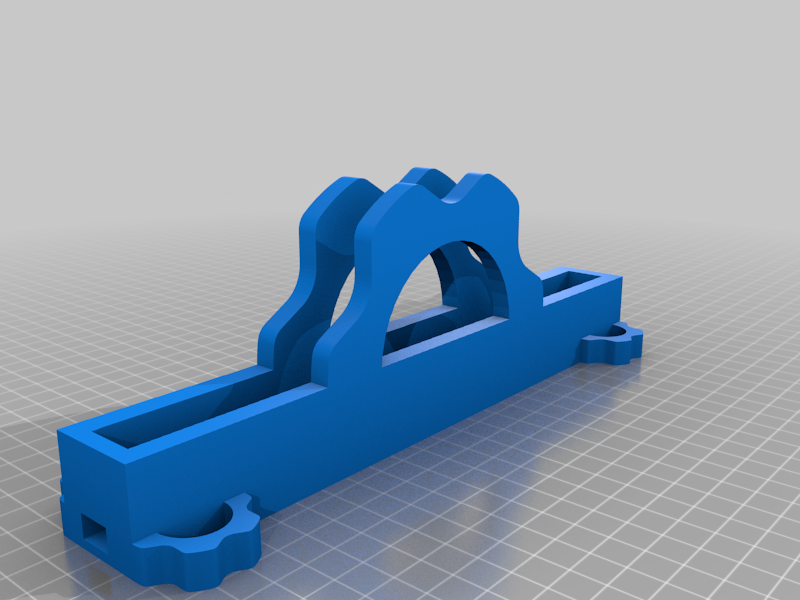
Descrizione
I've been using ThinkPad laptops for a couple decades now at work, and have been very spoiled with the availability of docking stations. Most docking stations require the user to lay the laptop flat on the device, line up edges and then press the laptop down on a proprietary connector.
For the Framework laptop, we don't have the proprietary plug, but we do have a thunderbolt connector that can connect to a port replicator (Docking Station). The other thing going for the Framework laptop is the community of users that like to tinker and give feedback.
That's when I decided I wanted to create something that could act as a charging stand or docking station. The trick was to get the dimensions correct and get enough space to maneuver the USB plug into the slot for charging and/or docking. After several iterations, I found one that works with an aftermarket USB C right angle cable I purchased on Amazon.
Version 1For Version 1 the stand is designed to have the left side of the laptop inserted and to use a pretty shallow right angled USB C/Thunderbolt plug to connect to the laptop. Also, the USB cable is meant to have the straight end threaded through the hole/tunnel from the inside in case it wasn't obvious. Again, the stand is a tight fit but a better print or a little sanding can resolve the issue.
Using this stand and a docking station in the Docking Station Mega-Thread, I'm sure most everyone can find a good alternative to an proprietary solution that took a team of engineers to produce.
Version 2:I reworked the first iteration and got my ToDo list done! This is now the default version moving forward. If you don't need access to the second expansion card and/or want a shorter stand, version 1 is what you want.
Version 2 is has:
- Uniform wall thickness (with one purposeful exception)
- The exception is below the second expansion card, the hole is wider here to accommodate a thick right angle plug
- Access to the second (forward-most) expansion card
- Taller stand to accommodate:
- Stock Framework USB C right angle plug
- Right angle DisplayPort or HDMI plug in the second expansion card slot (pictured)
- Larger feet to stabilize the higher center of gravity